
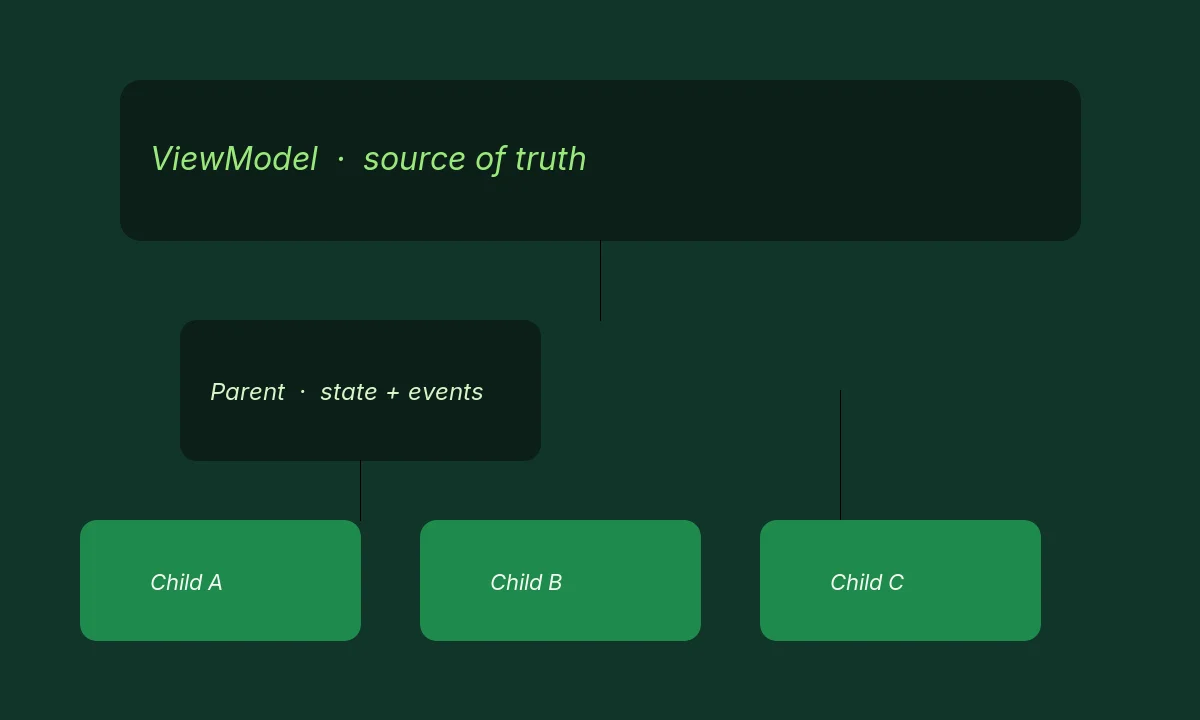
State hoisting is the Compose habit that keeps screens testable and recomposition cheap: state goes down, events go up. The child draws what it is told and asks the parent to change something. The parent (often a ViewModel) owns the source of truth.
Advertisement
A widget that does not own its text
A TextField that stores its own var text by remember { mutableStateOf("") } is fine in a playground and awkward in a form. The parent cannot pre-fill it, clear it, or validate it without poking at the child.
@Composable
fun SearchField(
    query: String,
    onQueryChange: (String) -> Unit,
    modifier: Modifier = Modifier,
) {
    TextField(
        value = query,
        onValueChange = onQueryChange,
        modifier = modifier,
        placeholder = { Text("Search APIs") },
    )
}
The composable is now a controlled component. You can preview it with a hardcoded query, and you can drive it from a ViewModel.
class SearchViewModel : ViewModel() {
    var query by mutableStateOf("")
        private set

    fun onQueryChange(value: String) {
        query = value
    }
}

@Composable
fun SearchScreen(viewModel: SearchViewModel = viewModel()) {
    SearchField(
        query = viewModel.query,
        onQueryChange = viewModel::onQueryChange,
    )
}
Where state should live
Use this rule of thumb, which matches the official Compose guidance:
- Ephemeral UI (animation progress, a dropdown's expanded flag, a text field's cursor-related state that nobody else needs) can stay in the composable with
rememberorrememberSaveable. - Screen state that must survive rotation, process death, or be shared by siblings belongs in a
ViewModel. - App or session state (the signed-in user, a repository cache) belongs lower, in a repository or data store, with the
ViewModelas the screen's façade.
Hoist to the lowest common ancestor that needs to read or write the state — no higher. Hoisting everything to a god-sized ViewModel is how you end up with 40 parameters and a recomposition storm.
Events, not setters, at the boundary
Name parent callbacks after what happened, not after the field:
data class EditorUiState(
    val title: String = "",
    val body: String = "",
    val isSaving: Boolean = false,
)

sealed interface EditorEvent {
    data class TitleChanged(val value: String) : EditorEvent
    data class BodyChanged(val value: String) : EditorEvent
    data object SaveClicked : EditorEvent
}
The screen becomes a function of uiState plus onEvent. That is easy to test: a screenshot test can pass a fake state, and a ViewModel test can feed events without a composition.
Avoiding wasted recomposition
Hoisting does not automatically make a list fast. Two habits help:
- Read state as late as possible. A parent that does
val query by viewModel.query.collectAsStateWithLifecycle()and then passesqueryinto a deep tree will recompose that tree on every keystroke. Sometimes that is fine. If a subtree does not need the query, do not pass it.derivedStateOfis useful when you derive something cheaper (for example "the save button is enabled") from a frequently changing input. - Prefer
collectAsStateWithLifecycle()overcollectAsState()in screens that leave the composition while the process stays alive, so you do not keep collectors hot on a stopped screen.
val uiState by viewModel.uiState.collectAsStateWithLifecycle()A compact example
@Composable
fun Counter(
    count: Int,
    onIncrement: () -> Unit,
    modifier: Modifier = Modifier,
) {
    Row(modifier) {
        Text("Count: $count")
        Button(onClick = onIncrement) { Text("Add") }
    }
}
The test does not need a ViewModel. It can call Counter(count = 2, onIncrement = {}) and assert the label. The ViewModel test can increment a MutableStateFlow and assert the new value. That split is the whole point of hoisting: UI is a function of state; state changes are events.